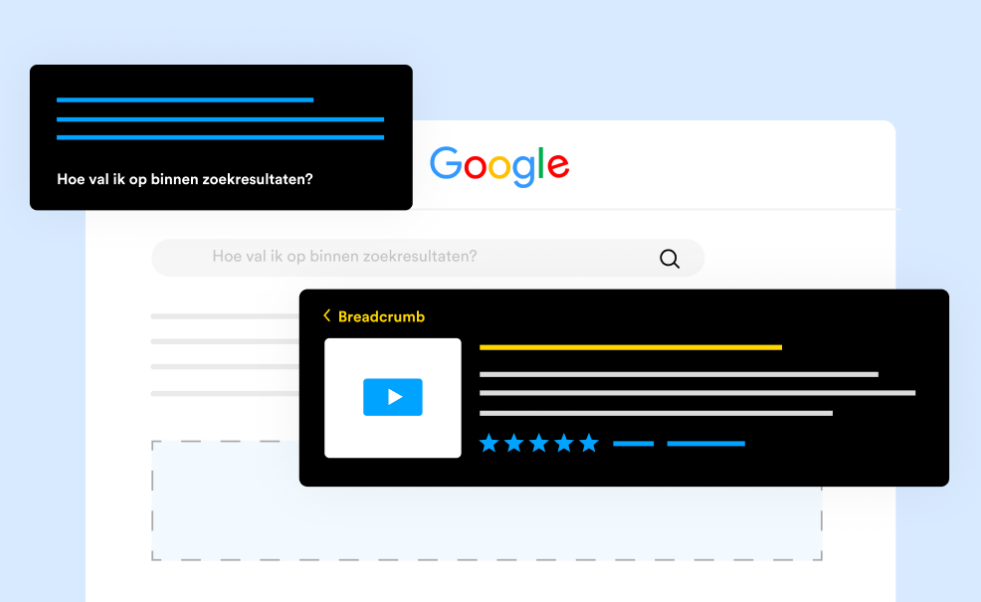
Rich snippets are the enhanced search listings that stand out from standard blue links — star ratings, FAQ dropdowns, recipe cards, event details, and more. They are powered by structured data and JSON-LD: machine-readable code that tells Google exactly what your content means. This guide shows you step by step how to use structural data and JSON-LD to win Google rich snippets — with real code examples for each major schema type, a clear implementation process, and the exact validation steps needed before your markup goes live.
Rich snippets do not improve your ranking position directly, but they increase the visual size and information density of your search listing — which increases the percentage of searchers who click your result over others. In competitive niches, a rich snippet can outperform a position-one plain listing for click-through rate.
Google uses the term "rich results" officially, while "rich snippets" is the older, still widely used term for the same thing. Both refer to enhanced search listings generated from structured data. This guide uses both terms interchangeably.
What Is JSON-LD and Why Does Google Prefer It?
JSON-LD stands for JavaScript Object Notation for Linked Data. It is a lightweight way to embed structured data into a web page using a <script> tag — without touching your existing HTML content.
Google has officially recommended JSON-LD as the preferred format for structured data since 2016. The reason is straightforward: JSON-LD is easy to inject, easy to maintain, and impossible to accidentally break when editing page content. Unlike Microdata and RDFa — the two alternative formats — JSON-LD lives in a self-contained script block that can be updated independently of the page's visual layout.
The three structured data formats compared
| Format | How it works | Google recommendation |
|---|---|---|
| JSON-LD | Script block in <head> or <body>, separate from HTML | Preferred |
| Microdata | Inline HTML attributes mixed into existing elements | Supported |
| RDFa | Inline HTML attributes, more complex syntax | Supported |
How Google processes JSON-LD
When Googlebot crawls your page, it executes JavaScript and reads all <script type="application/ld+json"> blocks. It parses the JSON, maps the properties to schema.org definitions, and stores the structured data separately from the page's text content. If the markup is valid and the content accurately matches the page, Google may use it to generate a rich result for that URL.
Which Schema Types Win Rich Snippets in Google
Not every schema type is eligible for a rich snippet. Google only surfaces enhanced listings for a defined set of content types where additional visual information adds value for the searcher.
The Anatomy of a JSON-LD Block
Every JSON-LD block follows the same base structure. Understanding the required fields before looking at specific schema types will make every example easier to follow.
<script type="application/ld+json">
{
  "@context": "https://schema.org",   // always required
  "@type": "TypeName",               // the entity type
  "propertyName": "value",          // properties for this type
  "nestedObject": {                 // nested entity
    "@type": "NestedType",
    "name": "value"
  }
}
</script>
Place the script block anywhere in your page's <head> or <body>. Google can read it in either location. For CMS-generated pages, inject it dynamically in your page template so it outputs correct values for each page automatically.
FAQPage Schema: The Highest-Impact Rich Snippet for Content Sites
FAQPage schema is the single most accessible rich snippet for content sites, blogs, and service pages. It adds expandable question-and-answer items below your search listing title — dramatically increasing the vertical space your result occupies in the SERP.
What an FAQ rich snippet looks like
FAQPage JSON-LD code
<script type="application/ld+json">
{
  "@context": "https://schema.org",
  "@type": "FAQPage",
  "mainEntity": [
    {
      "@type": "Question",
      "name": "What is schema markup used for?",
      "acceptedAnswer": {
        "@type": "Answer",
        "text": "Schema markup is structured data that helps search engines understand the content on your page at a deeper level, enabling rich results like star ratings, FAQ dropdowns, and recipe cards."
      }
    },
    {
      "@type": "Question",
      "name": "Does schema markup improve Google rankings?",
      "acceptedAnswer": {
        "@type": "Answer",
        "text": "Schema markup is not a direct ranking factor. However, rich results earned from valid schema increase click-through rates, which can have indirect positive effects on how frequently Google recrawls and promotes your pages."
      }
    }
  ]
}
</script>
Every question and answer in your FAQPage schema must appear visibly on the page for users to read. Google will withhold the rich result if your FAQ section is hidden behind a tab, inside an accordion the user has not opened, or only present in the schema and not on the page itself.
Product Schema: Rich Snippets for E-Commerce Pages
Product schema enables star ratings, prices, availability status, and review counts to appear directly in Google search results. For e-commerce sites, this is one of the most commercially valuable rich snippet types available.
What a Product rich snippet looks like
<script type="application/ld+json">
{
  "@context": "https://schema.org",
  "@type": "Product",
  "name": "Wireless Noise-Cancelling Headphones",
  "description": "Premium over-ear headphones with 30-hour battery life.",
  "image": "https://yourstore.com/images/headphones.jpg",
  "brand": {
    "@type": "Brand",
    "name": "YourBrand"
  },
  "aggregateRating": {
    "@type": "AggregateRating",
    "ratingValue": "4.8",
    "reviewCount": "847"
  },
  "offers": {
    "@type": "Offer",
    "price": "149.00",
    "priceCurrency": "USD",
    "availability": "https://schema.org/InStock",
    "url": "https://yourstore.com/products/headphones"
  }
}
</script>
The aggregateRating property requires actual user reviews to be present and visible on the page. Adding a star rating schema to a product page with no reviews is a policy violation. The reviewCount value must match the number of reviews visible on the page.
HowTo Schema: Rich Snippets for Step-by-Step Guides
HowTo schema is ideal for tutorial content, installation guides, recipe-style instructions, and any page structured as a series of steps. When eligible, Google shows the numbered steps directly in the search result — giving users a preview of the process before they click.
<script type="application/ld+json">
{
  "@context": "https://schema.org",
  "@type": "HowTo",
  "name": "How to Submit a Sitemap in Google Search Console",
  "description": "A step-by-step guide to submitting your XML sitemap via Google Search Console.",
  "totalTime": "PT5M",
  "step": [
    {
      "@type": "HowToStep",
      "name": "Open Google Search Console",
      "text": "Go to search.google.com/search-console and select your property."
    },
    {
      "@type": "HowToStep",
      "name": "Navigate to Sitemaps",
      "text": "Click Sitemaps in the left-hand menu under Index."
    },
    {
      "@type": "HowToStep",
      "name": "Enter your sitemap URL and submit",
      "text": "Type your sitemap URL (e.g. /sitemap.xml) into the field and click Submit."
    }
  ]
}
</script>
BreadcrumbList Schema: Cleaner URLs in Every Result
BreadcrumbList schema replaces the raw URL displayed in your search result with a human-readable breadcrumb path. This makes your listing more scannable, signals site structure to users before they click, and is one of the easiest rich snippets to implement for any site type.
<script type="application/ld+json">
{
  "@context": "https://schema.org",
  "@type": "BreadcrumbList",
  "itemListElement": [
    {
      "@type": "ListItem",
      "position": 1,
      "name": "Home",
      "item": "https://yourdomain.com/"
    },
    {
      "@type": "ListItem",
      "position": 2,
      "name": "Blog",
      "item": "https://yourdomain.com/blog/"
    },
    {
      "@type": "ListItem",
      "position": 3,
      "name": "Technical SEO",
      "item": "https://yourdomain.com/blog/technical-seo-guide"
    }
  ]
}
</script>
BreadcrumbList is one of the few rich snippet types that Google shows on almost every search result from sites that implement it correctly. It requires no reviews, no prices, and no complex content — just an accurate representation of your site's navigation structure.
How to Combine Multiple Schema Types on One Page
Most pages benefit from more than one schema type. A blog post, for example, should have Article schema for Top Stories eligibility, FAQPage schema if it has a Q&A section, and BreadcrumbList schema for navigation clarity. Combining them correctly is straightforward with the @graph pattern.
Method 1: Separate script blocks
The simplest approach — add one <script type="application/ld+json"> block for each schema type. Google processes each block independently. This works well and is easy to manage in templates.
Method 2: The @graph array
For cleaner markup, combine all schema types into a single script block using the @graph array. This is the approach recommended for sites with complex entity relationships.
<script type="application/ld+json">
{
  "@context": "https://schema.org",
  "@graph": [
    {
      "@type": "BlogPosting",
      "headline": "Your article headline",
      "datePublished": "2026-05-27",
      "author": { "@type": "Organization", "name": "SEOGuy.Online" }
    },
    {
      "@type": "BreadcrumbList",
      "itemListElement": [
        { "@type": "ListItem", "position": 1, "name": "Home", "item": "https://seoguy.online/" },
        { "@type": "ListItem", "position": 2, "name": "Blog", "item": "https://seoguy.online/blog/" }
      ]
    }
  ]
}
</script>
Step-by-Step: How to Implement JSON-LD for Rich Snippets
Common JSON-LD Mistakes That Prevent Rich Snippets
These are the mistakes most likely to produce valid-looking JSON-LD that still never earns a rich snippet — or worse, earns a manual action for misleading markup.
- Markup does not match page content — adding star ratings when no reviews exist, or FAQ questions not visible on the page
- Malformed JSON — a single missing comma, unclosed bracket, or unescaped quote character breaks the entire block silently
- Wrong date format — dates must use ISO 8601:
2026-05-27T08:00:00+00:00, notMay 27, 2026 - Missing required properties — each schema type has required fields; check the schema.org specification for the type you are implementing
- Blocked by robots.txt — if Googlebot cannot crawl the page, it cannot read the schema. Ensure the page is crawlable and indexed.
- Using schema on noindexed pages — pages with a noindex tag will not show rich results because they are excluded from search
- Aggregated ratings without real reviews — one of the most common policy violations; results in manual action for the entire site
- Injecting schema only via GTM on user interaction — schema injected on click events may not be read by Googlebot; inject on page load
Use the SEOGuy SEO Analyzer to quickly confirm any page is crawlable, indexed, and free from noindex or canonical issues before investing time in schema implementation.
Generate Valid JSON-LD for Rich Snippets Instantly
Use the SEOGuy Schema Markup Generator to create clean, validated JSON-LD for FAQPage, Product, HowTo, Article, LocalBusiness, and more — without writing JSON manually.
Try the Schema Markup Generator FreeTools You Can Use on SEOGuy.Online
These free tools help you implement, validate, and support your JSON-LD structured data strategy:
Key Takeaways
- JSON-LD is Google's recommended structured data format — use it for all new schema implementations
- Rich snippets increase your listing's visual size and information density in search results, directly improving CTR
- FAQPage, Product, HowTo, BreadcrumbList, Event, Recipe, Article, and LocalBusiness are the schema types most likely to earn rich snippets
- Every JSON-LD block must start with
"@context": "https://schema.org"and a matching"@type" - Schema markup must accurately reflect content that is visibly present on the page — misleading markup triggers manual actions
- Use separate script blocks or the
@grapharray to combine multiple schema types on one page - Always validate with Google's Rich Results Test before deploying schema to production
- Monitor your schema health in Google Search Console under Enhancements after deployment
- Ensure pages with schema are crawlable, indexable, and have no noindex tags — blocked pages cannot earn rich snippets
- Valid schema does not guarantee a rich result — Google applies its own quality filters on top of validation
- Using the SEOGuy Schema Markup Generator eliminates JSON syntax errors and speeds up implementation significantly
Using structural data and JSON-LD to win Google rich snippets is one of the most effective technical SEO improvements available to any site type. The implementation process is well-defined, the tools to generate and validate the markup are free, and the potential CTR upside from a rich result is meaningful even for pages that already rank well. Start with FAQPage and BreadcrumbList — the two schema types with the broadest eligibility and lowest implementation effort — and expand to Product, HowTo, and Article schema as your confidence with JSON-LD grows.